Dashboard
Thanks you for coming so far again, it meant a lot to us, sos Thanks you 😊!
This page has a lot of features that we are going to discuss about now.
Puzzle game
here is a picture of the puzzle game
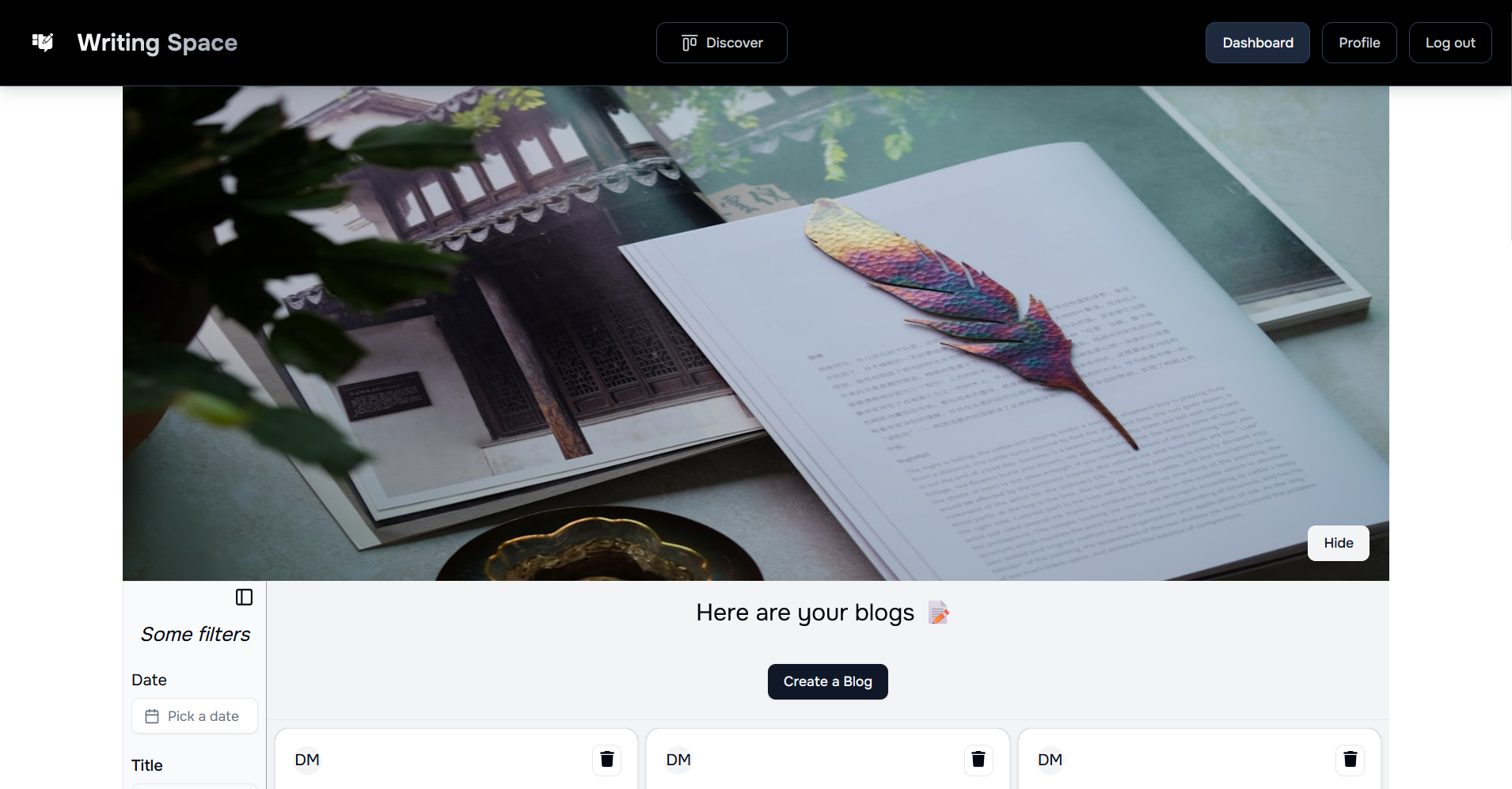
The goal of this game is to entertain you, when you have a writer’s block.
So here, you can see a Hide button, that when you click on it, your image should be in grid way like this :
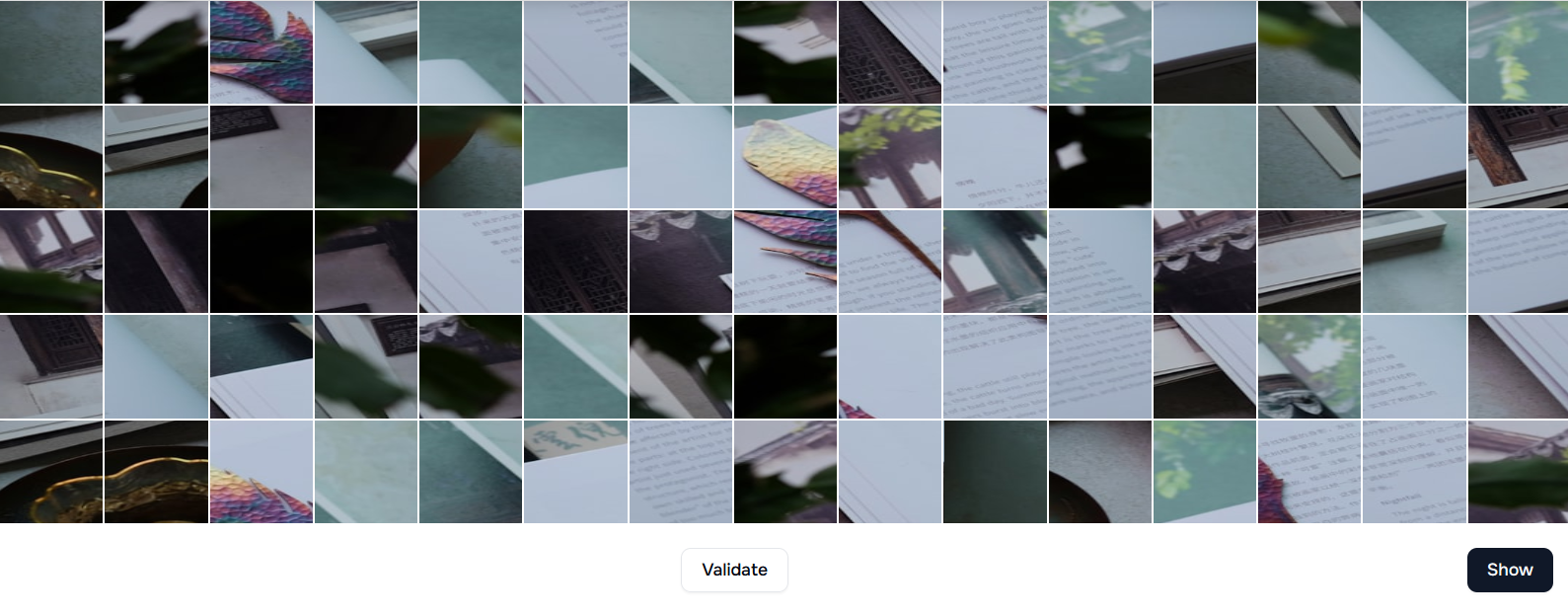
And here to switch two puzzle places, just select the first piece, you want to change place of, and the second piece, and they will switch place instantly !
As soon as you are sure about your changes, just click on the validate button, and if it’s good, you probably won’t have to continue as it will be counted a a win for the day, unless you have to continue !
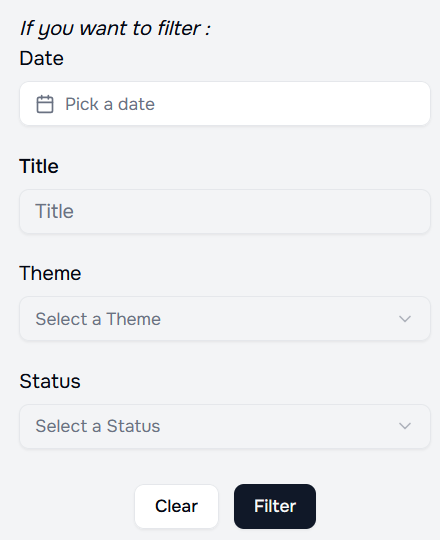
Filter’s form
Blog’s creation form
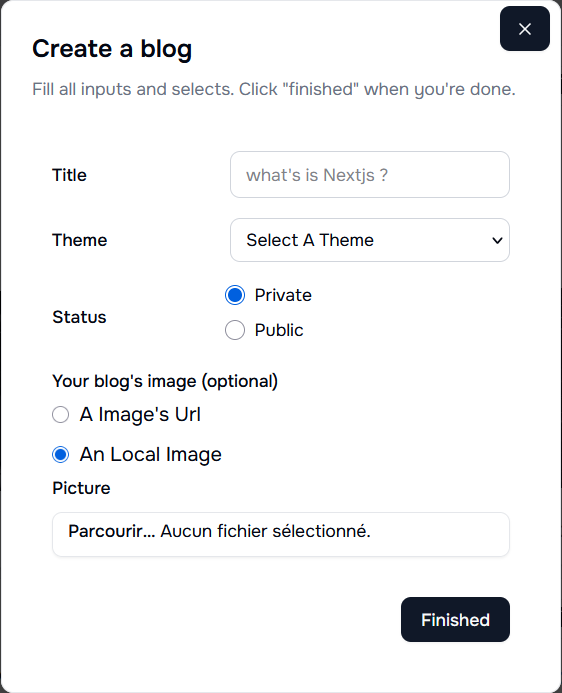
As you can see, there is severals inputs to fill :
- Title : here is the name of your Blog
- Theme : the theme about your blog (currently, there is a limited of blog but if you want more, you can request it by mailing us !)
- Status : public’s value is for a blog that anyone can view from the website and private is for blogs anyone can see but you !
- The image you can use could be an image of 2MB max size or an URL of an image
Card’s Blog
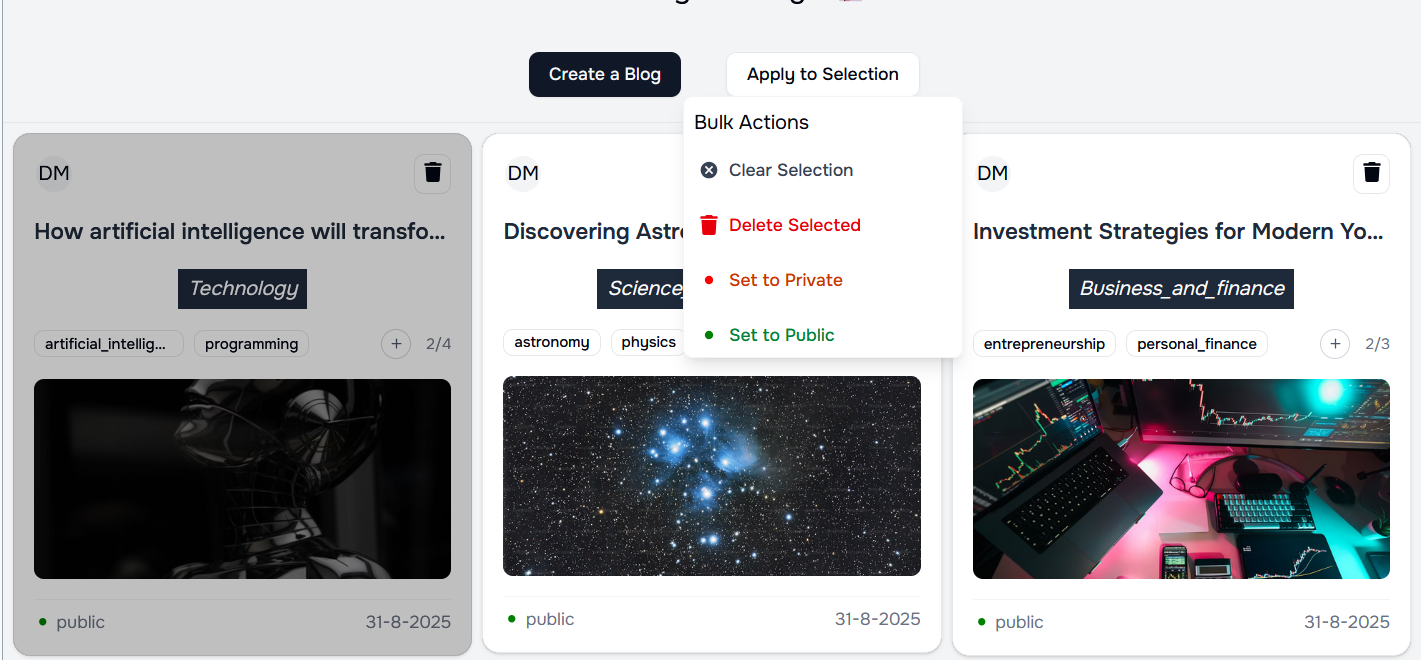
Here, you can double click on an image to select it, and it’s done, you will see a change of color of the blog as on the image
Then also appear, a button Apply to Selection that when you click on it, the dropdown Bulk Actions should appear.
With the Bulk Actions, you can delete or change status for all the blogs you have selected so far.
And yes, you can select as many blogs as you want just by double clicking on them !